Product Bundles
Product Bundles
Intermediate
Scale
7:28
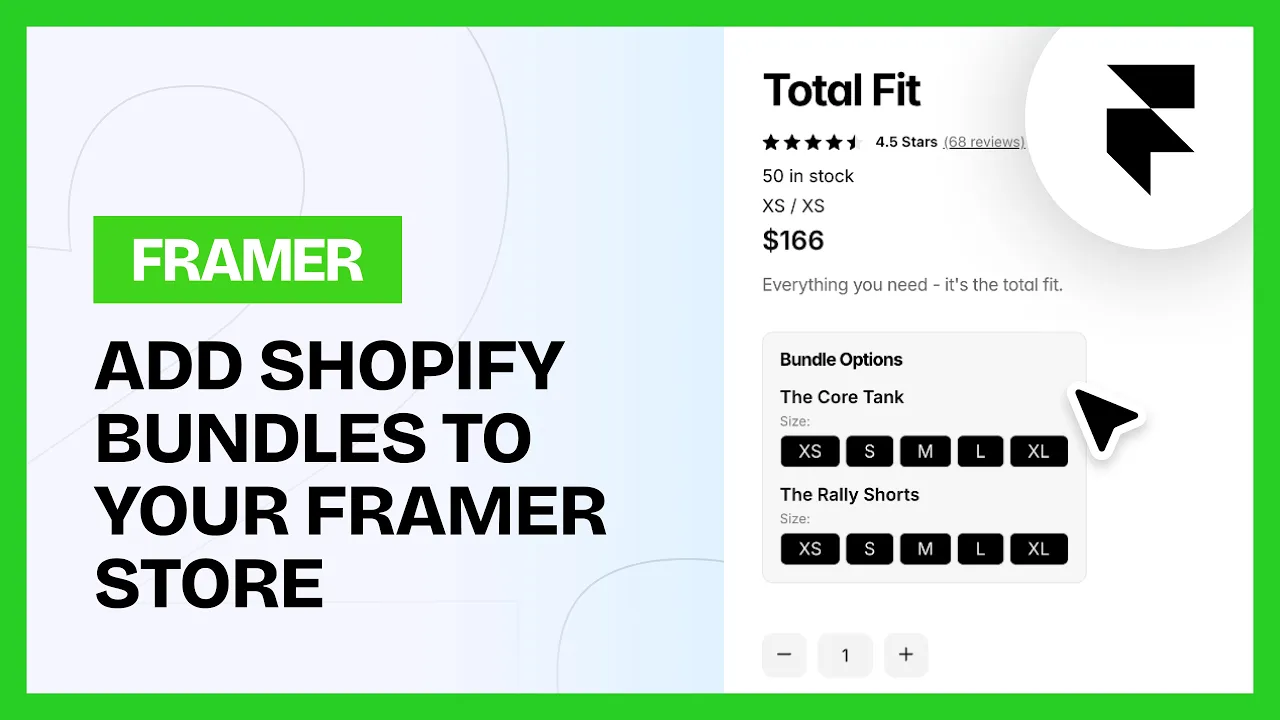
The Bundle Variant Selector shows variant options for each product inside a Shopify bundle, so customers can pick size, color or style for every item. It supports text buttons, color swatches or product images, and tracks selections in real time.
💡 Note: Bundles only work with Shopify's native Bundles app, which you install from Shopify itself.
In Shopify
Install the native Bundles app
Create a bundle and set the products and quantities
Add the title, description, media and category
Upload at least one image for the bundle. Without one it won't work with the cart.
💡 Important: Set the bundle to Active, not draft. Publishing has to include Online Store as well as your Headless app, or it won't sync through to Framer.
Common questions
My bundle isn't syncing into Framer
Three usual causes. The bundle is still a draft, publishing doesn't include the Headless app, or the bundle has no image.
Can customers pick options for each product in a bundle?
Yes. That's what the Bundle Variant Selector does. Every included product gets its own options.