FRAMESHIP ACADEMY
FRAMESHIP ACADEMY
Learn how to build your Shopify store in Framer.
Filters
Topic
Level
Track
The Frameship course
Build a full Shopify store in Framer, start to finish. Three free parts, about 45 minutes.

15:49
Part 1: Sync Shopify & Build Product Pages
Day 1 of the free 3-part course. Sync your Shopify catalogue into Framer, build product pages, and set up variants, cart and checkout.

15:10
Part 2: Variants, Cart & Upsells
Day 2 of the free 3-part course. Go deeper on product variants, wire up cart and checkout properly, and add your first cart upsells.

14:05
Part 3: Catalog, Filters & Multi-Currency
Day 3 of the free 3-part course. Build the catalogue page, add product filtering, and sell in multiple currencies with Shopify Markets.
15:49
Part 1: Sync Shopify & Build Product Pages
Day 1 of the free 3-part course. Sync your Shopify catalogue into Framer, build product pages, and set up variants, cart and checkout.
15:10
Part 2: Variants, Cart & Upsells
Day 2 of the free 3-part course. Go deeper on product variants, wire up cart and checkout properly, and add your first cart upsells.
14:05
Part 3: Catalog, Filters & Multi-Currency
Day 3 of the free 3-part course. Build the catalogue page, add product filtering, and sell in multiple currencies with Shopify Markets.
Additional videos
lessons

2:00
Setting Up Your Cart
Set up your Framer cart from scratch. Covers the cart drawer, item list, subtotal, and checkout button, plus how to wire each one up to Shopify.

4:40
Selling Subscriptions
Add subscription pricing to your Framer store. Works with Shopify subscription apps and Frameship's built-in components so customers can choose between one-time and recurring options on the product page.

9:40
How to Set Up a Frameship Template
Learn how to set up and customise a Frameship template in Framer - syncing your Shopify data, updating CMS filters, customising components, and adapting the store for your own products.

7:28
Product Bundles
Create and sell product bundles in Framer. Customers can buy grouped products at a combined price, and inventory is managed through Shopify as normal.

3:43
Building Product Pages
Build real Shopify product pages inside Framer. Price, images, title, and add to cart are all pulling live from your store by the time you're done.

2:27
Troubleshooting Common Issues
Fix the most common Frameship problems fast. Covers the watermark banner, products not syncing, and checkout issues - the things that trip people up most after setup.

1:34
Markets & Multi-Currency
Set up Shopify Markets so your store shows localised pricing based on where each customer is shopping from. Covers currency switching, country detection, and how to display it all in Framer.

1:19
Customer Accounts
Add customer login and account pages to your Framer store. Customers can check order history and manage their details without leaving your site, all connected to Shopify's account system.

2:40
Connecting Shopify to Framer
Connect your Shopify store to Framer step by step. By the end, your products are live inside your Framer project and ready to be placed on any page.

2:47
Color Swatches
Swap dropdown selectors for visual colour swatches so customers can see their options at a glance. Works with any colour variants you've already set up in Shopify.
2:21
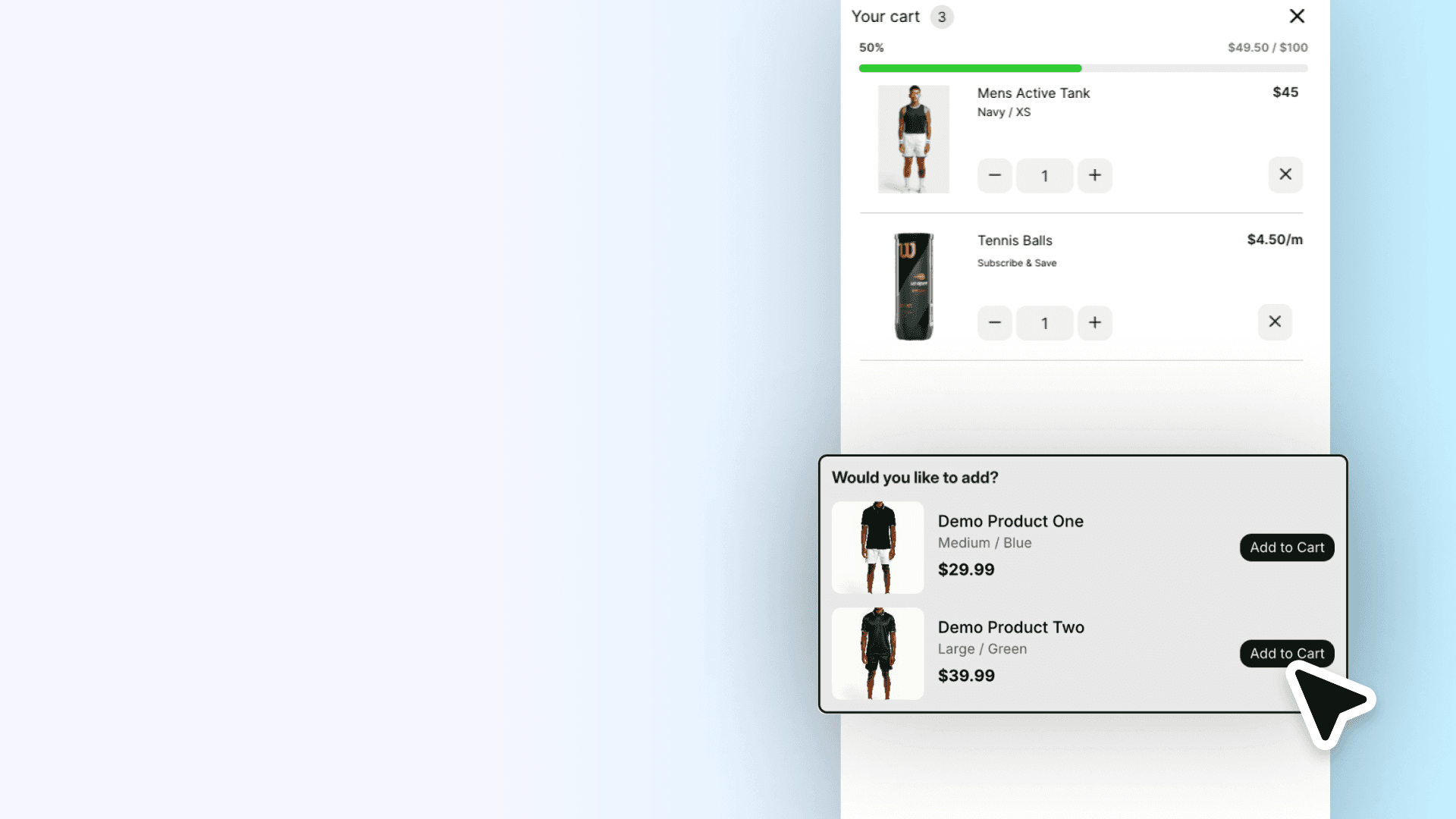
Cart Upsells
Show related products inside the cart before customers check out. A simple way to lift average order value without adding any friction to the buying experience.

2:23
Discount Codes
Give customers a place to enter discount codes in your Framer cart. Works with any Shopify promo codes you've already set up, including percentage off, fixed amount, and free shipping.

Connecting Your License
Activate your license key and get rid of the Frameship banner. Takes under two minutes, and covers what to do if your key isn't being accepted.

2:38
Frameship 2.0 Overview
Get familiar with the Frameship plugin. You'll know exactly where everything lives before you start building, which makes the rest of the Academy a lot easier to follow.

1:41
Promotional Progress Bar
Show customers how close they are to free shipping or a discount. Nudges them to add one more thing to cart, and you can set the threshold to match whatever Shopify promo you're running.

4:44
Personalisation & Gift Messages
Let customers add a gift message or personalised note to their order before they check out. Uses Frameship's personalisation input field, which connects directly to Shopify's order notes.

4:37
Advanced Filters & Search
Give customers filters, search, and sorting on your collection pages. Great for stores with large product ranges where browsing without filters becomes a pain.
2:00
Setting Up Your Cart
Set up your Framer cart from scratch. Covers the cart drawer, item list, subtotal, and checkout button, plus how to wire each one up to Shopify.
4:40
Selling Subscriptions
Add subscription pricing to your Framer store. Works with Shopify subscription apps and Frameship's built-in components so customers can choose between one-time and recurring options on the product page.
9:40
How to Set Up a Frameship Template
Learn how to set up and customise a Frameship template in Framer - syncing your Shopify data, updating CMS filters, customising components, and adapting the store for your own products.
7:28
Product Bundles
Create and sell product bundles in Framer. Customers can buy grouped products at a combined price, and inventory is managed through Shopify as normal.
3:43
Building Product Pages
Build real Shopify product pages inside Framer. Price, images, title, and add to cart are all pulling live from your store by the time you're done.
2:27
Troubleshooting Common Issues
Fix the most common Frameship problems fast. Covers the watermark banner, products not syncing, and checkout issues - the things that trip people up most after setup.
1:34
Markets & Multi-Currency
Set up Shopify Markets so your store shows localised pricing based on where each customer is shopping from. Covers currency switching, country detection, and how to display it all in Framer.
1:19
Customer Accounts
Add customer login and account pages to your Framer store. Customers can check order history and manage their details without leaving your site, all connected to Shopify's account system.
2:40
Connecting Shopify to Framer
Connect your Shopify store to Framer step by step. By the end, your products are live inside your Framer project and ready to be placed on any page.
2:47
Color Swatches
Swap dropdown selectors for visual colour swatches so customers can see their options at a glance. Works with any colour variants you've already set up in Shopify.
2:21
Cart Upsells
Show related products inside the cart before customers check out. A simple way to lift average order value without adding any friction to the buying experience.
2:23
Discount Codes
Give customers a place to enter discount codes in your Framer cart. Works with any Shopify promo codes you've already set up, including percentage off, fixed amount, and free shipping.
Connecting Your License
Activate your license key and get rid of the Frameship banner. Takes under two minutes, and covers what to do if your key isn't being accepted.
2:38
Frameship 2.0 Overview
Get familiar with the Frameship plugin. You'll know exactly where everything lives before you start building, which makes the rest of the Academy a lot easier to follow.
1:41
Promotional Progress Bar
Show customers how close they are to free shipping or a discount. Nudges them to add one more thing to cart, and you can set the threshold to match whatever Shopify promo you're running.
4:44
Personalisation & Gift Messages
Let customers add a gift message or personalised note to their order before they check out. Uses Frameship's personalisation input field, which connects directly to Shopify's order notes.
4:37
Advanced Filters & Search
Give customers filters, search, and sorting on your collection pages. Great for stores with large product ranges where browsing without filters becomes a pain.


Features
Resources
Proudly built with Framer
Features
Resources
Proudly built with Framer
Features
Resources
Proudly built with Framer